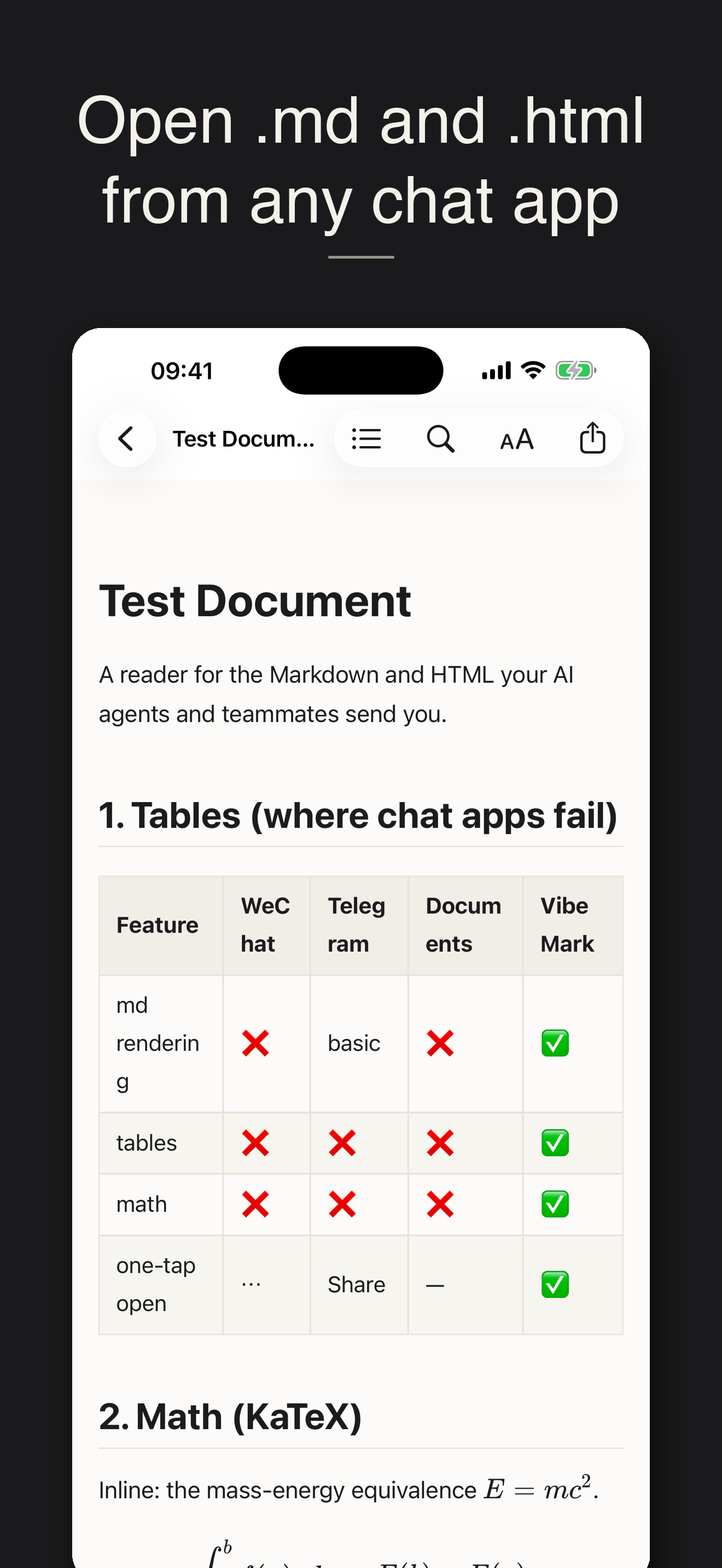
Review AI-made Markdown, HTML, and SVG on your phone.

Open the artifact from chat, Files, or GitHub. VibeMark renders it, lets you tap the exact section that needs work, and packages comments or permitted source edits for Codex.

Mobile AI demo review

Tap the rendered thing you want changed.

Start Review mode, tap a heading, paragraph, table, SVG shape, or HTML section, and leave a plain-language Codex comment. Markdown blocks carry source-position anchors when available; HTML and SVG fall back to DOM and text context.

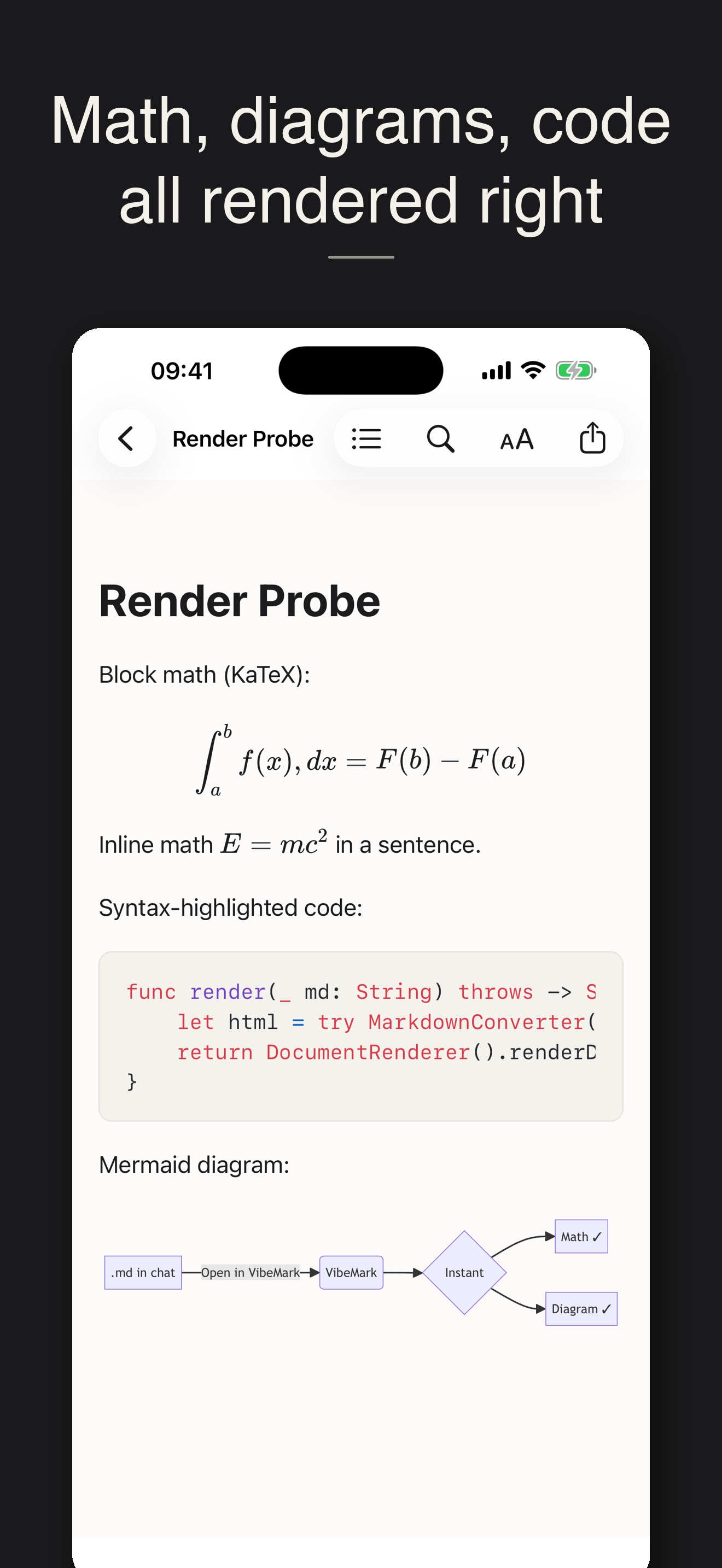
VibeMark rendering math, a Mermaid diagram, and highlighted code

Codex handoff

Send a packet, or sync to a bridge.

VibeMark can export a .reader-review.json handoff through the share sheet. With optional Review Sync, comments and HTML/SVG source edits upload to a configured bridge so Codex can fetch pending review items after you set up the workspace.

It does not auto-wake a Codex thread. You stay in control and ask Codex to implement the review when you are ready.

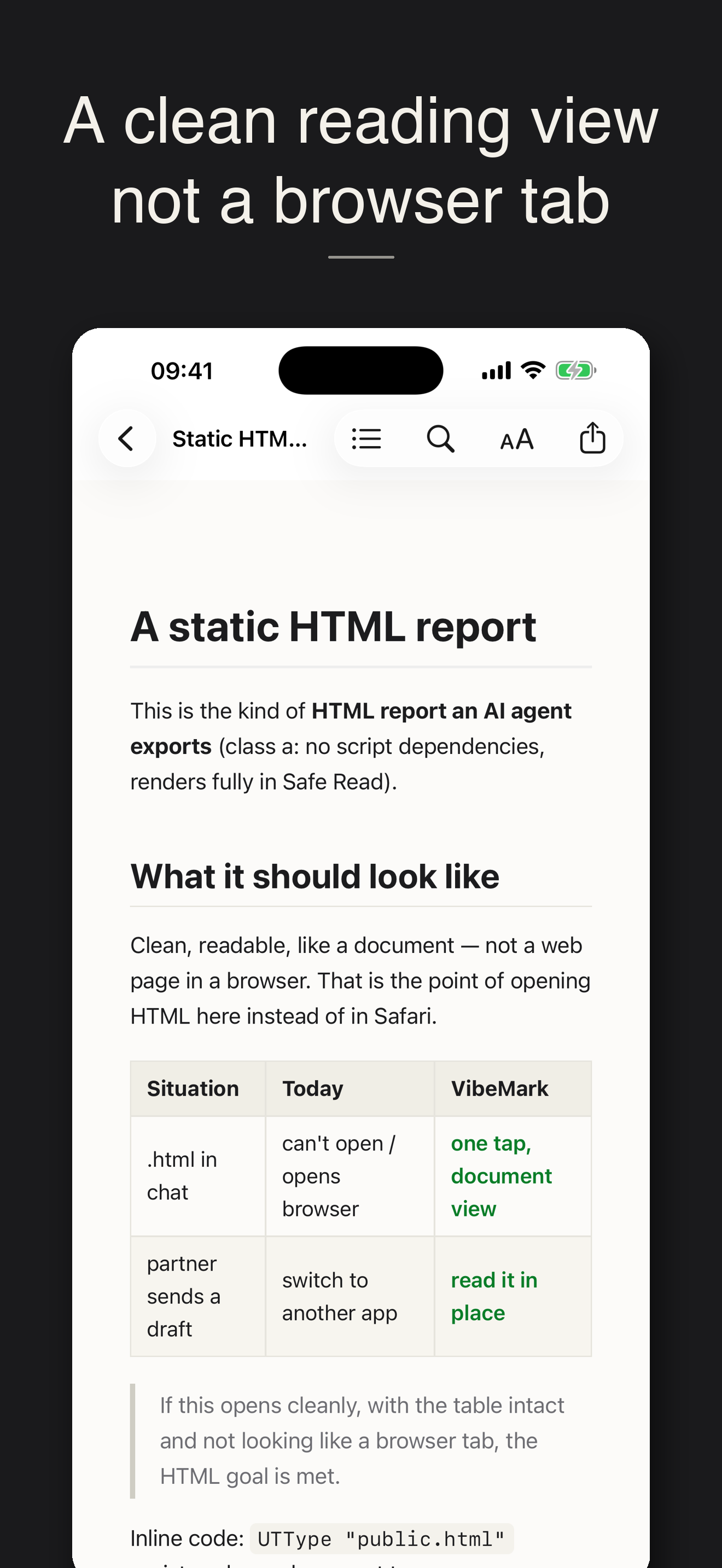
A clean HTML document rendered in VibeMark

One tap from a chat app

The file lands. You review it.

When a teammate or your AI agent sends a .md, .html, .svg, or .txt in WeChat, Telegram, Feishu, Mail, or Files, choose Open in VibeMark. There is also an optional GitHub repo browser for project docs.

Opening a Markdown file in VibeMark from a chat app

Private by default

Local first. Sync only when you choose.

Documents render on-device and offline. Safe Read blocks remote content until you allow it. Review comments and source edits stay local unless you export a handoff packet or create a Review Sync session. No accounts, no tracking, no ads. Read the privacy policy →

  1. 1Open

    Chat, Files, GitHub, or paste text.

  2. 2Review

    Tap a rendered section and leave feedback.

  3. 3Hand Off

    Share a packet or sync to a bridge for Codex.

Everything in 1.1.1

A reader with a review loop.

Markdown, HTML & SVG

GFM tables, task lists, KaTeX math, Mermaid diagrams, highlighted code, and visual SVG artifacts.

Anchored Review mode

Tap rendered sections; comments include source position, DOM path, tag, and text context when available.

Mobile source edits

Edit HTML/SVG source in Review mode. Markdown source edits stay owner-only for safer collaboration.

Codex handoff

Share a local review packet, or copy a workspace-config prompt for the VibeMark MCP bridge.

Anonymous Review Sync

Owner and reviewer invite links collect comments and source edits without accounts.

Reader tools

Library search, table of contents, find, themes, resume position, image export, Shortcuts, and Chinese UI.
Get VibeMark

Universal app for iPhone and iPad. iOS 17 or later. Free.

Download on the App Store

Link goes live once the app is approved.